Create and configure a channelCreate a namespaced channel and configure its description, logo, visibility, and priority relations.
Creating a channel only takes a few fields, and you can adjust most settings later. You need to be signed in, and your plan or current quota may limit how many channels you can create.
Create a channel
Choose the local channel name and visibility carefully. The local name cannot be changed after creation. The canonical path can still change if ownership is transferred to another namespace.
Open Create new channel.
Confirm Channel Owner. It supplies the namespace and cannot be changed in this form.
Enter a Channel Name of at least three characters. Use lowercase letters and digits, with single dashes only between characters.
Optionally add a description of up to 200 characters.
Optionally add a GitHub avatar URL, such as
github.com/prefix-dev.png, for the logo.Keep the default Private visibility or choose Public.
Optional: expand Advanced settings and choose a base or override channel. Review base and override priority first.
Select Create Channel.
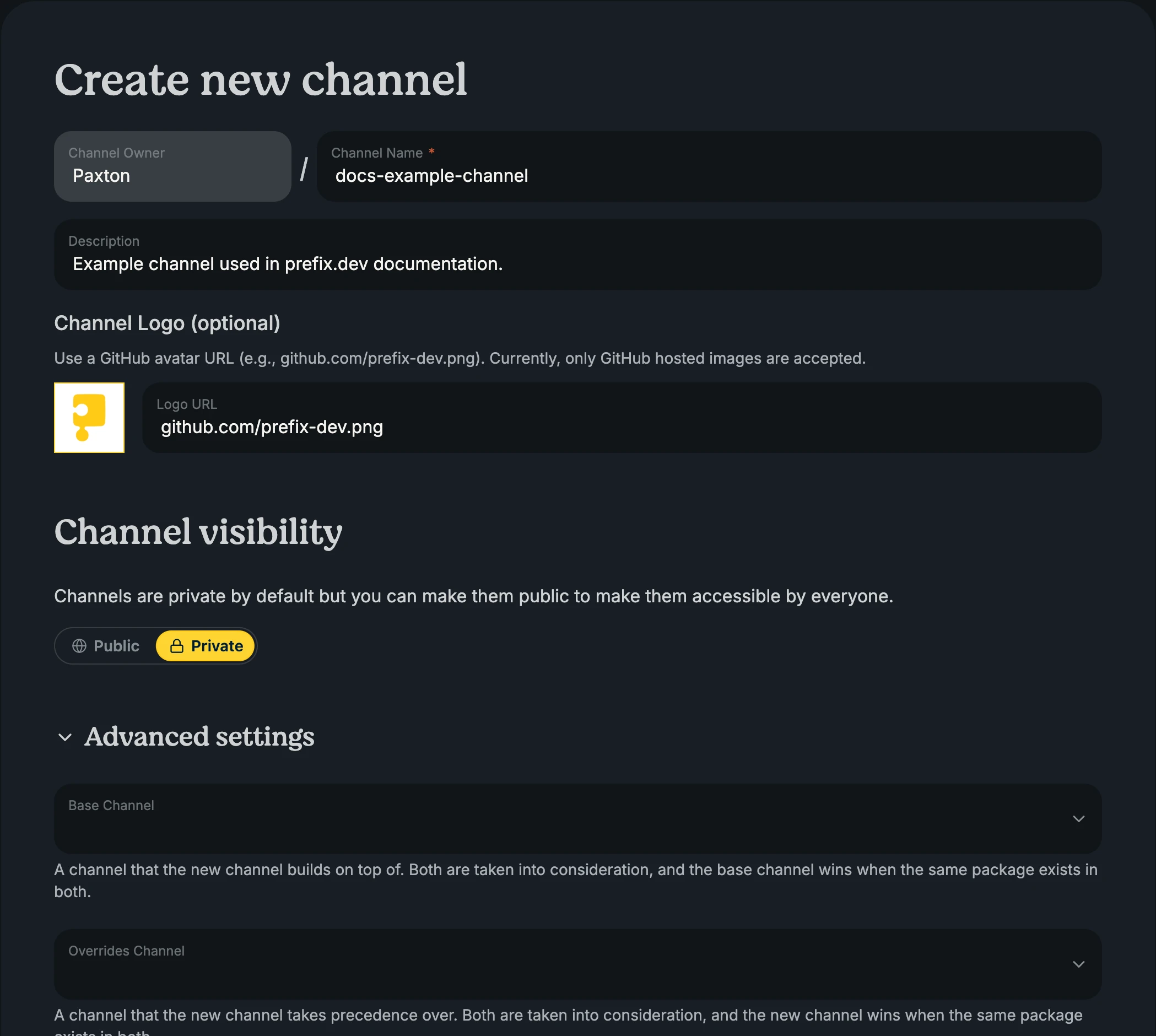
The local channel name must be unique within the selected namespace.
Warning: Public channels are available to everyone. Do not publish restricted packages or metadata to them.
Note: Channel logos currently accept only GitHub-hosted images.
Change general settings
Owners and Contributors can update general settings for non-mirror channels.
Open the channel and select Settings > General.
Change the description, GitHub-hosted logo, or visibility.
Add or remove base and override relations when needed.
Select Save Changes.
Open a package and review its installation card.
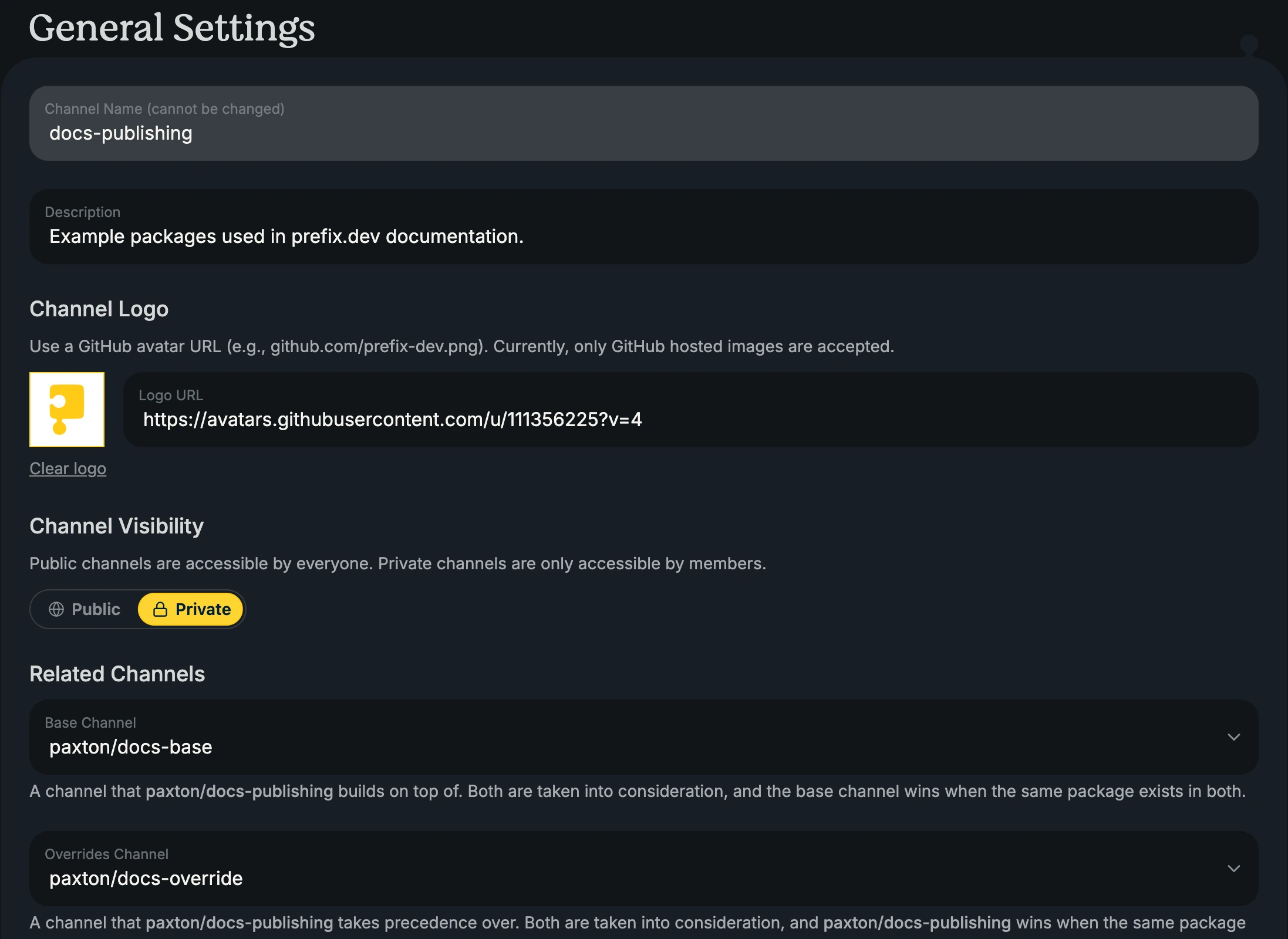
Changing a relation updates the generated installation commands and the relation data stored in the channel index. It does not rewrite existing Pixi workspaces, conda configuration, CI files, or lockfiles. Update those configurations deliberately and re-solve environments when you want them to use the new order.
Warning: Making a private channel public allows unauthenticated browsing and downloads. Review its packages and metadata first.