Channel noticesPublish CEP-6 channel notices shown on the channel page and to compatible conda clients.
Prefix.dev supports CEP-6 channel notices. Use notices for announcements, deprecations, or security advisories. Active notices are shown on the channel page and provided to compatible conda clients.
Create a notice
Open your channel, select Go to Settings, then select Notices. The page lists the channel's existing notices.
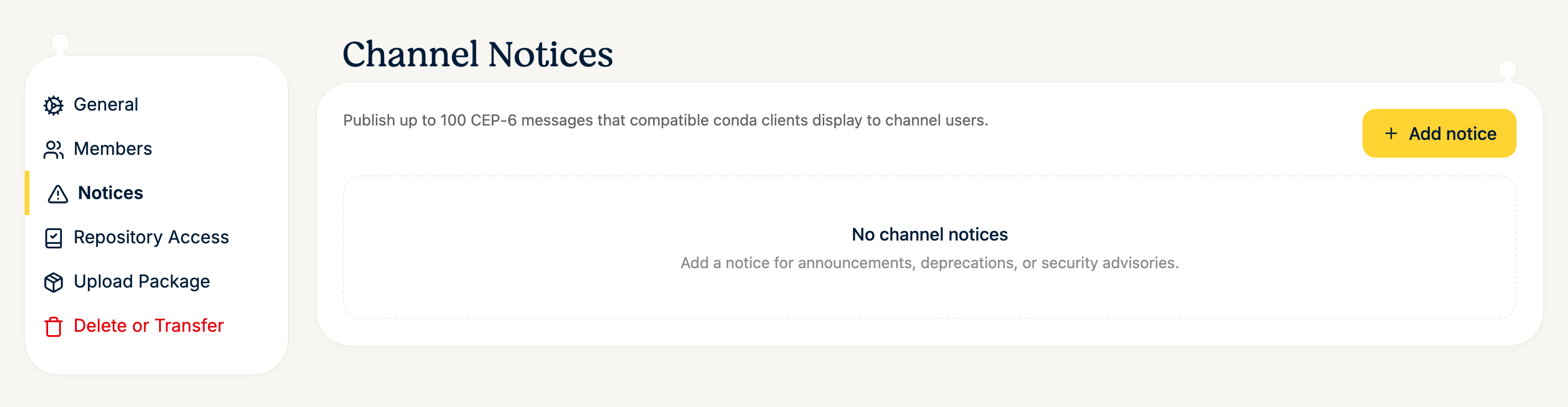
Select Add notice and fill in the dialog:
Notice ID — a stable identifier such as
maintenance-2026-08. IDs are unique within the channel.Message — the text shown to users.
Level — Info, Warning, or Critical.
Expires at (optional) — after this time the notice is no longer active.
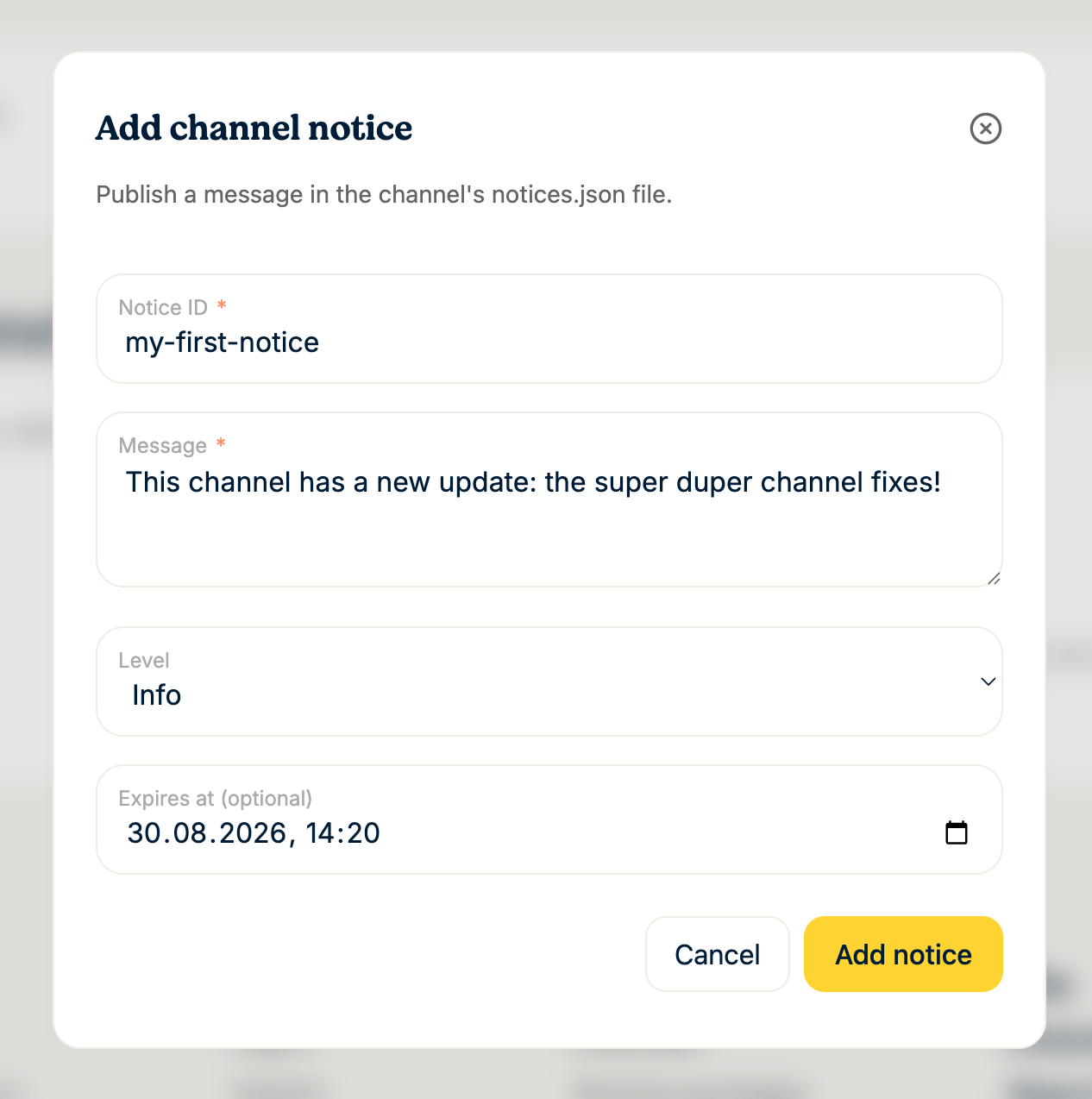
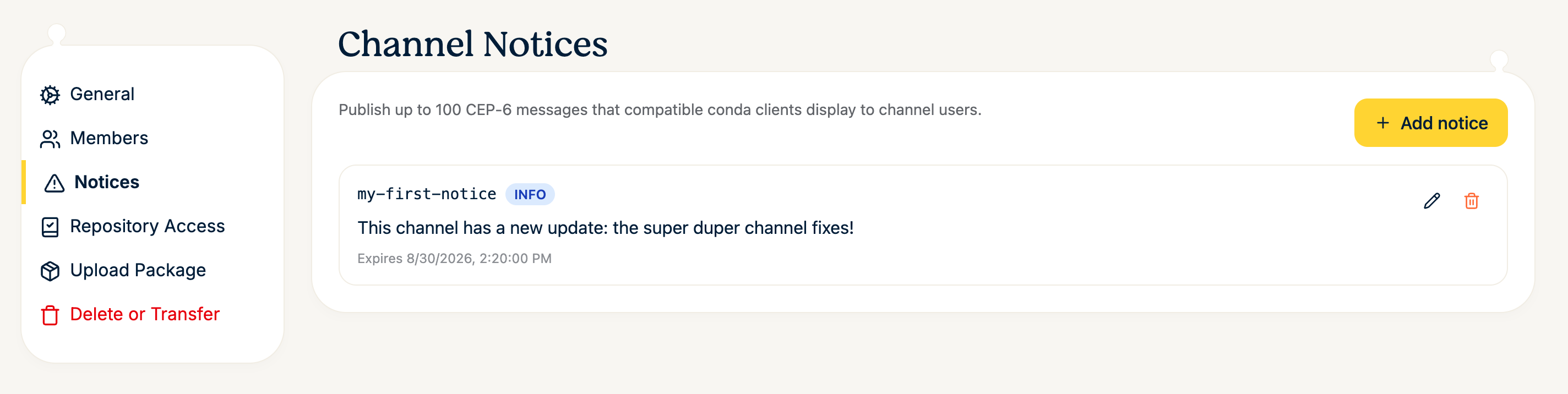
Select Add notice to publish it. The notice becomes active immediately and appears in the list, where you can edit or delete it later with the icons on the right. Each channel can have at most 100 notices.
Where notices appear
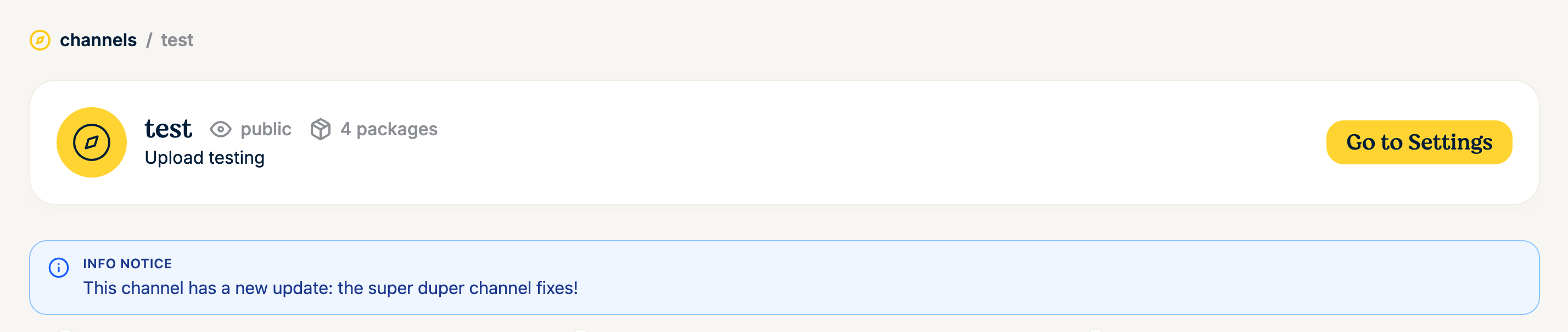
On the channel page, every visitor sees active notices as a banner below the channel header, labeled with the notice level:
Compatible conda clients also pick up notices. conda, for example, shows new notices when you create or update an environment, and lists a channel's notices on demand:
conda notices -c https://repo.prefix.dev/acme/research
Notices are served from the channel root:
https://prefix.dev/<channel>/notices.jsonThe repository service applies the same channel read authorization as package and repodata requests, so notices for private channels are not exposed publicly. Clients that are authorized to download from a private channel can also read its notices.
Automate with GraphQL
You can also manage notices programmatically. Create a notice with the createChannelNotice GraphQL mutation, and edit or delete existing notices with the corresponding mutations. Each notice has a stable identifier, message, level (INFO, WARNING, or CRITICAL), and optional expiration time.
Mirrored channels
Mirrored channels cannot be modified through these mutations. Their notices are synchronized from the upstream channel's notices.json whenever the mirror runs. A missing upstream file clears mirrored notices; transient HTTP and decoding failures preserve the last successfully mirrored notices.